
My Humble Hewlett Packard Homelab
I always wanted a homelab setup that would acquaint me with the perils of self-hosting and Linux. I recently found a cute mini-PC on eBay that checked all my boxes and looked like it was straight out a reception or school.

It seemed to meet my requirements (aside from 1 broken USB port on the front):
- Power efficient - Reasonably modern T-sku CPU with support for C-states, uses approx 5W while idle
- Powerful enough - 2 cores/4 threads, probably slower than the processor in my phone but this is fine
- 8GB RAM
- Solid state boot drive
- < £100
For storage, I'm using an old USB LaCie portable HDD I had lying around, formatted in exFAT.
It arrived running Windows 10 with a valid key (!) but since I wanted to use Docker I installed Ubuntu 22.04. I updated & upgraded, copied over my SSH keys, and was ready to roll!
Containers
When I had Home Assistant and Plex *slowly* running on my Pi 3B I tried to play with containers, but that was torture for the 2012 ARM chip, so I struggled through conflicting ports and dependencies... Since I was starting from fresh, I wanted to play with Docker.
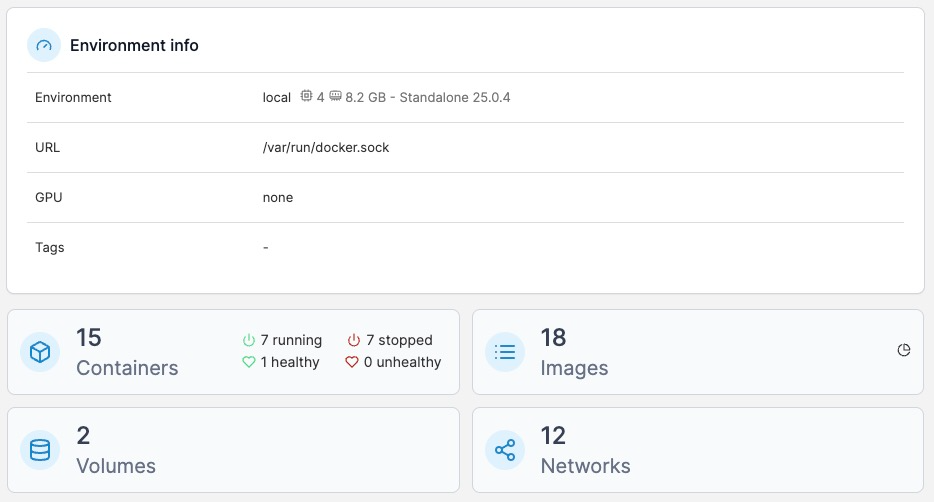
I migrated existing services to the containerised versions, which was reasonably easy. I used docker-compose to deploy them, transferring my existing configs and moving application data for each service and used Portainer to monitor & spin up/down containers in a web console.
External Access
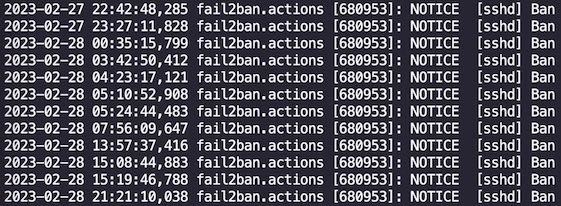
For a while I exposed ports of my self-hosted services directly through my router to the internet, but seeing the list of automated brute-force SSH attacks predominately originating from China (and DigitalOcean) stressed me out.
I used Cloudflare ZTNA to proxy Home Assistant & SSH and added SSO, which were both available in the free tier!
- Not exposing home network to the internet 👍
- Instead of brute-forcing/exploiting vulnerabilities in my homelab/OSS, attackers would need to get through a billion dollar security company (to... switch off my lights) 👍
- SSO via trusted identity provider 👍
- Cloudflare agent can see my system and entire home network 👎
I followed the documentation provided by Cloudflare to tunnel different protocols and applications. Basically involved:
1. Point subdomain DNS records at Cloudflare
2. Configure the agent with your token
3. Name your tunnel and give the local service's port & protocol a place on your domain (e.g. *port 8080/HTTP* -> *service.example.org*)
4. Add the tunnel as an Application and configure access via SSO.
Now I can use Home Assistant or SSH into my machine from anywhere with a pretty URL and login screen! 😇